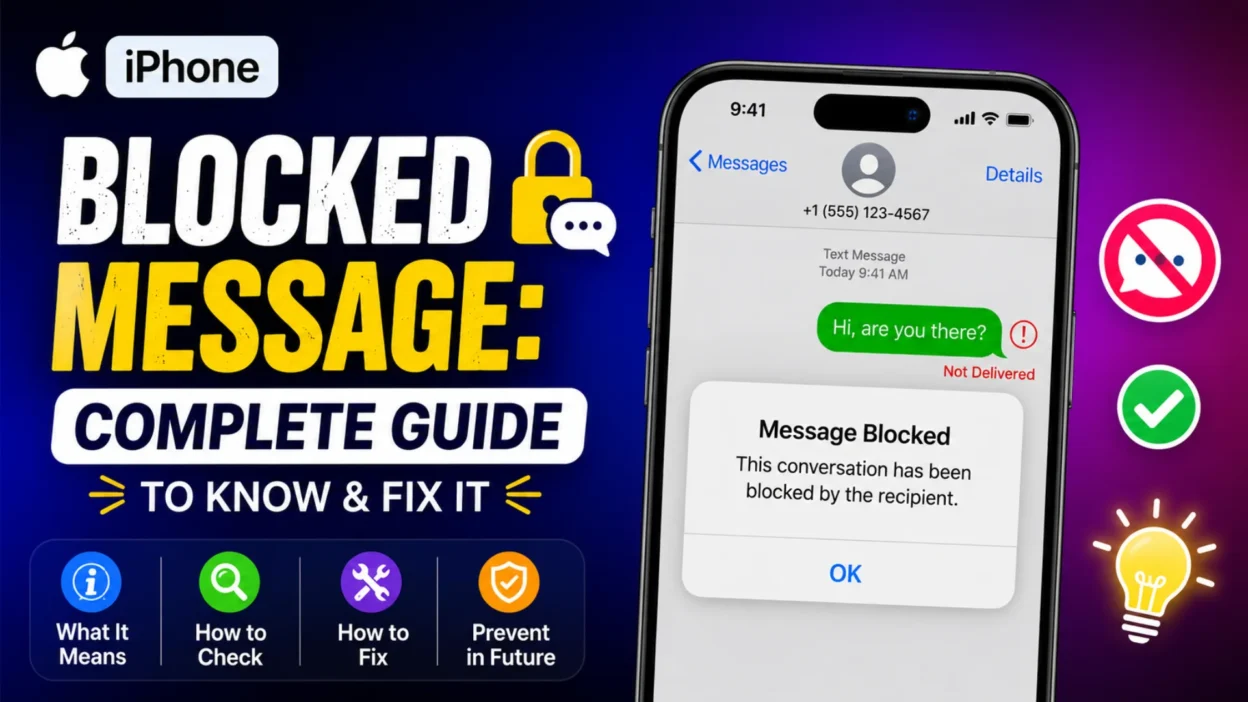
Few things are more confusing than sending a text and receiving no response. You start to wonder—did they see it? Did they just ignore it, or is there something wrong with your phone? When it comes to iPhones, the uncertainty often leads to the same question: have I been blocked? Apple doesn’t send a notification when someone blocks you, so the answer usually comes from reading the subtle signs your iPhone gives you.
The anxiety of not knowing whether you’ve been blocked can be surprisingly stressful. You might find yourself checking your phone repeatedly, analyzing every detail of your message bubble colors, and even asking mutual friends if they’ve heard from the person. This guide covers everything you need to know about “iPhone blocked message” issues, so you can stop guessing and start understanding what’s really happening.
How to Tell If You’re Blocked on iMessage
Apple prioritizes privacy, so the system never explicitly notifies you that you’ve been blocked. However, if someone has blocked you, you’ll notice a clear pattern across several features. Here are the most reliable signs to look for.
Check the Message Status
Open the conversation in the Messages app and look at your last sent message. If it doesn’t show “Delivered” or “Read” underneath it, this is a primary sign of being blocked. In earlier iOS versions, the message might have shown “Not Delivered,” but since iOS 16.5, a blocked iMessage might not show any status at all. Instead, your message will just sit there with no confirmation, leaving you in the dark about whether it was received.
Look at the Bubble Color: Green Instead of Blue
When you send an iMessage to another iPhone user, the message appears in a blue bubble. If your messages were previously blue but suddenly turn green, it could mean you’re blocked. The Messages app resorts to sending an SMS (green bubble) when iMessage fails. However, a green bubble isn’t a guarantee—the recipient might have switched to Android, turned off iMessage, or simply have poor internet connectivity. It’s the combination of green bubbles with other signs that makes a block more likely.
Check Calls and FaceTime
A blocked contact’s attempts to call will ring once before going straight to voicemail. Similarly, a FaceTime call will not connect if you’ve been blocked. If you’re experiencing these issues alongside undelivered messages, it’s a strong indication of a block. However, keep in mind that the person might simply have their phone turned off, be in an area with no signal, or have Do Not Disturb mode enabled.
Look for the Moon Icon or Focus Mode
The Focus or Do Not Disturb feature on iPhone silences notifications. If you see a message that says “[Contact] has notifications silenced” with a small moon icon, it means they have a Focus mode enabled and are not deliberately blocking you. The key difference is that messages still get delivered and will eventually show a “Delivered” status once the person comes out of Focus mode. This is often confused with being blocked, so it’s worth double-checking.
The Difference Between Being Blocked and “Message Blocking Is Active”
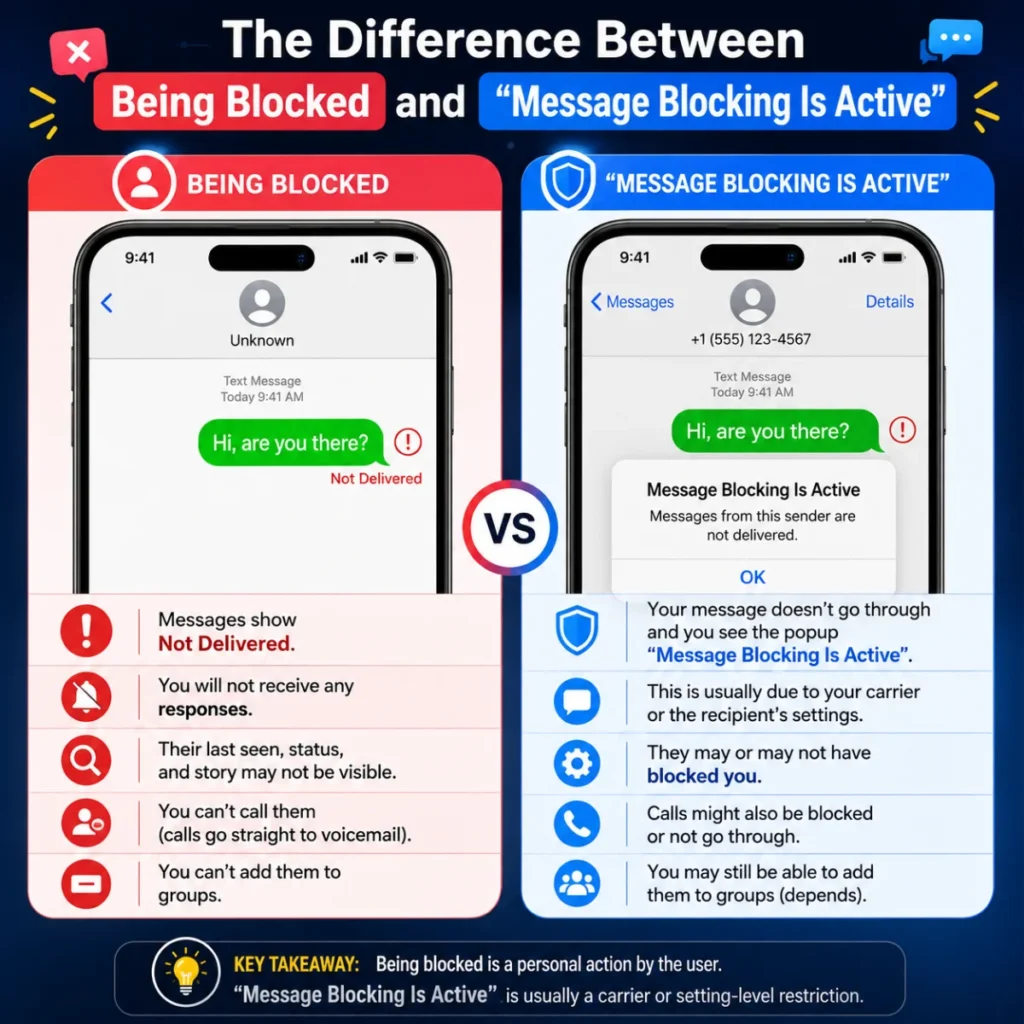
It’s crucial to understand that the “Message Blocking Is Active” error is almost always not related to being blocked by a specific person. This error indicates your message was stopped at the carrier or account level, not because the recipient blocked you. Many iPhone users panic when they see this message, thinking the person on the other end has cut off communication, but that’s rarely the case.
What “Message Blocking Is Active” Actually Means
The “Message Blocking Is Active” error means a text was stopped before delivery. The decision to block the message typically happens at your cellular carrier or your phone’s settings, not the recipient’s device. Common causes include account or billing issues like an unpaid bill, expired prepaid plan, or incomplete SIM activation. Carrier-level controls such as SMS, MMS, short codes, or premium messaging features may be disabled on your account. Additionally, you might have accidentally added the recipient’s number to your block list, which is why checking your iPhone’s blocked contacts list should always be your first step.
How to Fix the “Message Blocking Is Active” Error
If you see this error, follow these steps in order:
- Check Your Carrier and Account Status: Verify with your cellular provider that your account is active, paid up, and includes SMS/MMS messaging. Often, a quick call to customer support can resolve the issue immediately.
- Restart Your iPhone: A simple restart can clear temporary software glitches. This is the easiest fix and works surprisingly often.
- Check Your Block List: Go to Settings > Messages > Blocked Contacts and ensure the recipient isn’t on the list. Many people forget they blocked someone months ago.
- Toggle iMessage: Go to Settings > Messages and turn iMessage off, restart your phone, and turn it back on. Ensure “Send as SMS” is enabled for backup delivery.
- Reset Network Settings: Go to Settings > General > Transfer or Reset iPhone > Reset > Reset Network Settings. This will clear saved Wi-Fi passwords, so have them handy before you proceed.
Other Reasons Your iPhone Messages Might Not Be Delivering
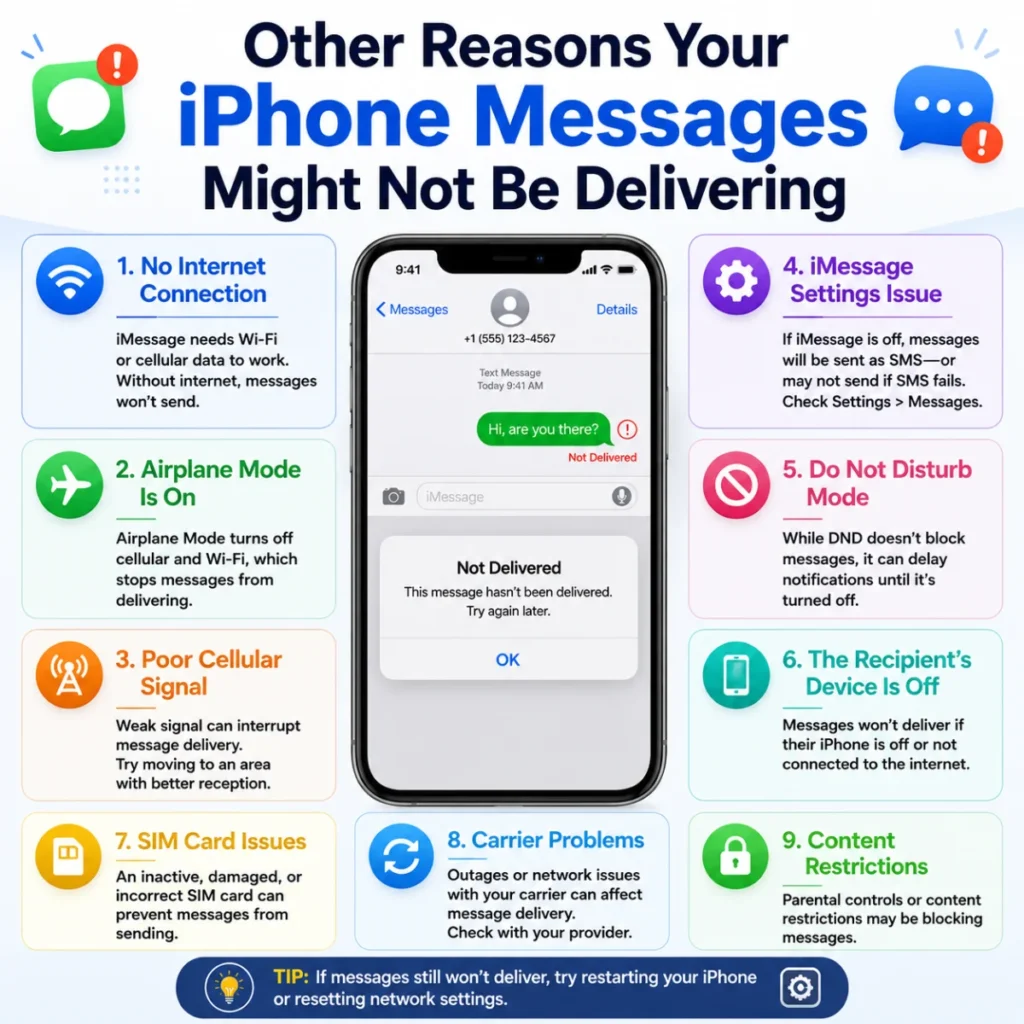
Before assuming you’ve been blocked, consider these other common reasons why your messages might not be going through.
The Recipient’s Phone Is Offline
If the person you’re texting has their phone turned off, is in airplane mode, or is in an area with no cellular or Wi-Fi coverage, your iMessage won’t deliver. It will remain in a pending state and deliver automatically when they come back online. This is a temporary situation and doesn’t mean you’ve been blocked.
iMessage Is Disabled on Their Device
If the recipient has turned off iMessage in their settings, your messages will automatically send as SMS (green bubbles). This often happens after someone switches to an Android device or simply prefers SMS. It doesn’t indicate a block—just a preference for standard texting.
Do Not Disturb or Focus Mode Is Enabled
When someone has Do Not Disturb enabled, your messages will be delivered to their device, but they won’t receive a notification. You’ll usually see a message that says the person has notifications silenced. This is completely different from being blocked, and they’ll see your message when they check their phone.
Software Glitch or Bug
Sometimes, iMessage simply glitches. A recent iOS update might have introduced a bug, or the iMessage service itself might be experiencing downtime. Checking Apple’s System Status page can confirm if there’s a widespread issue.
How Blocking Works on iPhone: The Technical Side
Understanding how the iPhone’s block feature actually works can help you interpret the signs more accurately.
What Happens When You Block Someone
When you block a contact on iPhone, the system automatically performs several actions: it stops receiving their calls, FaceTime calls, and messages . The blocked person’s messages will not show up in your main Messages app; instead, they are filtered out and hidden from view . If the blocked person leaves a voicemail, it is stored in a separate “Blocked Messages” folder, which the user can access but will not see unless they check manually . The iMessage system essentially marks the sender as “blocked,” and all communication attempts are quietly discarded.
What the Blocked Person Sees
From the perspective of the person who has been blocked, there are no explicit notifications. The Messages app may appear to behave differently, but Apple does not provide a “you have been blocked” popup . The blocked person’s messages may show a green bubble instead of the familiar blue iMessage bubble, indicating that their message was sent as an SMS rather than an iMessage . Additionally, their messages may not display a “Delivered” or “Read” status, leaving them uncertain whether the message reached the recipient .
Does the Blocked Person Know They’re Blocked?
Apple intentionally does not provide a “You are blocked” notification to maintain user privacy. The system is designed to be discreet, leaving the blocked person to infer the block through subtle behavioral indicators . This can be frustrating, but it’s a deliberate design choice to protect users who need to cut off contact without confrontation.
Troubleshooting iMessage Issues on iPhone
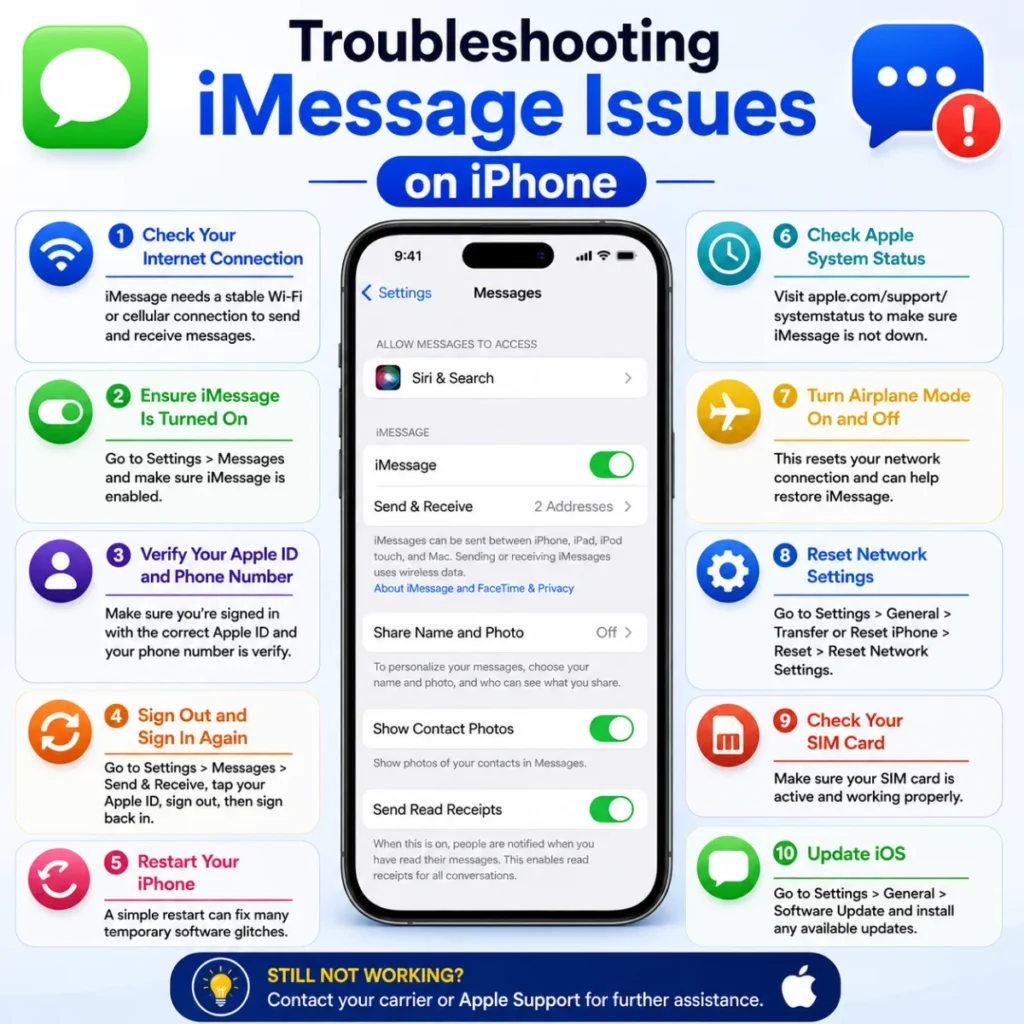
If you’re still having trouble, the problem might not be a block. Consider these solutions:
Update Your iOS
Outdated software can cause messaging bugs. Check for updates in Settings > General > Software Update. Apple regularly releases fixes for iMessage-related issues, so keeping your phone up to date is essential.
Check Your Signal
Weak or missing cellular signal can prevent SMS messages from sending. If you’re in a basement, elevator, or remote area, your messages might not go through until you have better coverage. Try moving to a location with stronger signal and resend the message.
Test with Another Number
If you can text other people without issue, the problem is likely with that specific contact and not your entire phone. This helps you narrow down whether the issue is with the recipient or with your device. If you can’t text anyone, the problem is on your end—possibly a carrier issue or a phone setting.
Verify Your SMS Center Number
An incorrect SMS center number can prevent messages from sending at all . You can find this setting in your phone’s dialer by entering a code like ##4636#*#*. Tap “Refresh” to retrieve the correct number from your carrier. If you’re unsure, contact your carrier for assistance.
Sign Out and Back Into Apple ID
Sometimes, signing out of your Apple ID and signing back in can resolve iMessage authentication issues. Go to Settings > [Your Name] > Sign Out, then sign back in and enable iMessage again. This refreshes your connection to Apple’s servers and can resolve delivery problems.
iPhone Blocked Message and Privacy: What Apple Doesn’t Tell You
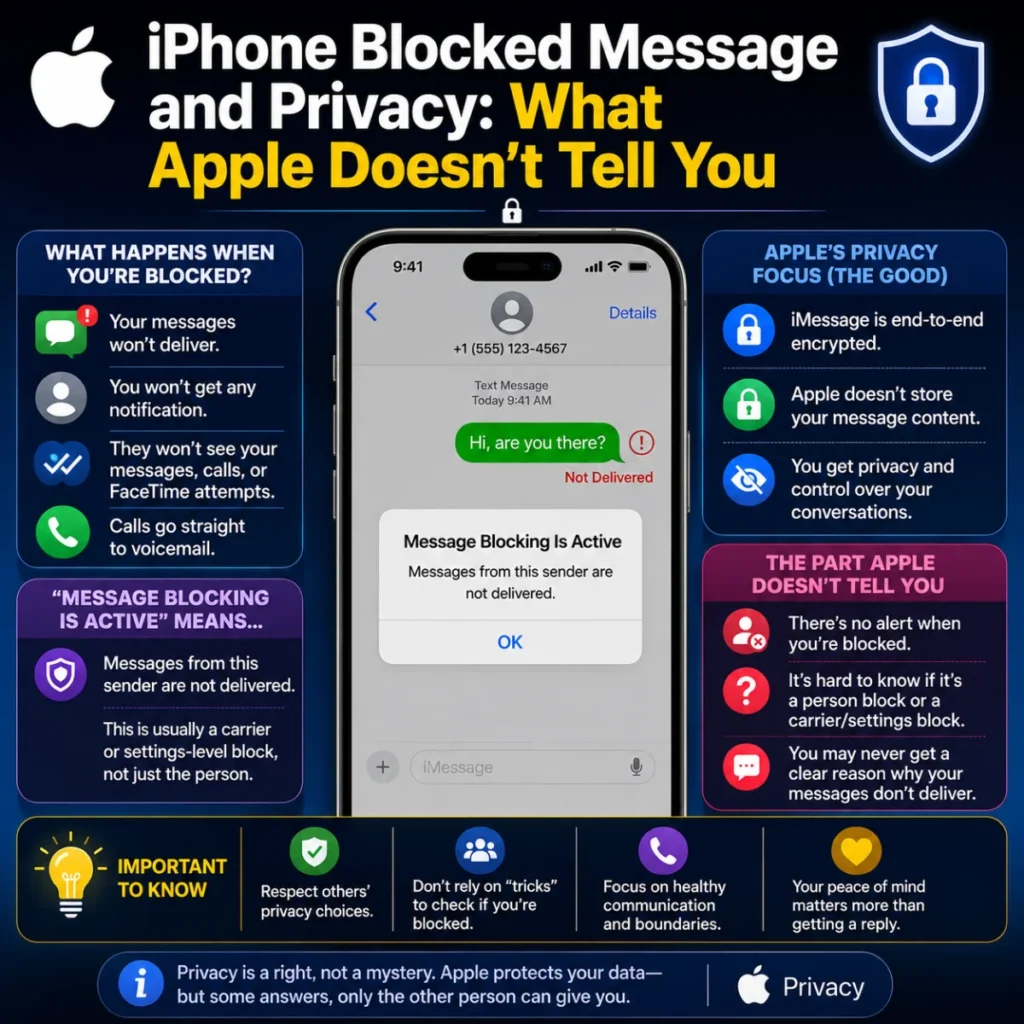
Apple’s approach to blocking is designed with user privacy at its core. Here’s what you should know about the philosophy behind it.
Why Apple Doesn’t Notify You
Apple doesn’t want to create a situation where blocking someone becomes a source of conflict or retaliation. By keeping the block anonymous, they allow users to set boundaries without fear of confrontation. This is especially important in cases of harassment, stalking, or toxic relationships where a notification could escalate the situation.
The Limits of Privacy
While Apple protects the blocker’s privacy, it can leave the blocked person in a state of confusion. Without a clear confirmation, people might keep trying to reach out, hoping they haven’t been blocked. This is where understanding the subtle signs becomes invaluable—it helps you recognize the situation and move on.
Respecting Boundaries
If you’ve determined that you’re blocked, the best course of action is to respect that decision. Continuing to try to contact the person through other means—like using a different phone number or email—is not appropriate and could be seen as harassment. Accept the block, give the person space, and move forward.
FAQs About iPhone Blocked Message
Can I confirm for sure if I’m blocked on iPhone Message?
No. Apple does not provide a definitive confirmation that you’ve been blocked. You can only look for patterns like undelivered messages, green bubbles, and calls going straight to voicemail. These signs are indicators, not guarantees.
Do blocked voicemails go through?
Yes. If you’re blocked, you can still leave a voicemail. It will be stored in the “Blocked Messages” folder, which the person can access but will not see unless they check manually. They won’t receive a notification about it.
Why did my iMessage turn green?
A green bubble means your message was sent as an SMS instead of an iMessage. This could mean you were blocked, but it could also mean the recipient’s iPhone is offline, they have a poor network connection, or they’ve turned off iMessage.
Does iOS 26 change how blocking works?
Yes, iOS 26 enhances blocking features with a centralized list of blocked contacts in Privacy & Security settings and a “blocked indicator” across apps. However, Apple still does not notify the blocked user. The experience remains discreet.
What should I do if I think I’m blocked?
If the pattern of signs is consistent, respect the person’s boundaries and stop trying to contact them. If it’s an emergency, contact them through a mutual friend or family member instead of attempting to bypass the block.
How do I unblock someone on iPhone?
Go to Settings > Phone > Blocked Contacts, find the contact, swipe left, and tap Unblock. Alternatively, go to Settings > Messages > Blocked Contacts and do the same. The contact will be able to message and call you again.
Can someone block me without me knowing?
Yes. Apple does not send notifications when someone blocks you. You will only notice the subtle signs in your Messages app, calls, and FaceTime. It’s entirely possible to be blocked without realizing it immediately.
Does blocking someone delete old messages?
No, blocking someone does not delete the existing conversation history. Both parties will still see the previous messages in their respective devices. Only future communication attempts are blocked.
Can I block someone on iPhone without them knowing?
Yes. Blocking someone on iPhone is completely private. The system is designed to be discreet, so the blocked person will never receive a notification that they’ve been blocked.
Why do my messages still say “Delivered” even if I’m blocked?
The “Delivered” status is about the message reaching the iMessage server, not the recipient’s device. A “Delivered” status doesn’t guarantee the person read it or even received it on their phone. If the server accepted it, it shows as delivered.
Conclusion
Determining if you’re blocked on iMessage is rarely a straightforward process. Apple deliberately avoids confirming blocks to protect user privacy. By checking for consistent patterns—like the absence of delivery receipts, green bubbles, and calls that go straight to voicemail—you can make an educated guess. However, the “Message Blocking Is Active” error is usually an entirely different issue related to your carrier or phone settings.
If you’ve done your research and the evidence points to being blocked, the most important step is to respect that decision. Continuing to reach out through other channels is not appropriate and can be stressful for both parties. Accepting the block and moving forward is often the healthiest choice, even though it can be difficult. Remember that everyone has the right to set boundaries, and sometimes silence is the clearest answer of all.

Hamid Mehmood is a passionate content creator dedicated to making words, messages, and online expressions easy to understand. He enjoys creating clear, helpful content that helps readers discover meanings and communicate with confidence.