You glance at your Messages app and notice something different. Under a green text bubble, it now says “Text Message • RCS” instead of just “Text Message.” You’ve likely wondered what that actually means and whether you need to do anything about it.
RCS stands for Rich Communication Services. It’s the modern upgrade to SMS that Apple finally adopted with iOS 18 in 2024 . This change directly impacts how you text people who don’t use iPhones. Instead of sending basic, compressed text messages to Android users, your iPhone now uses RCS to send higher-quality media, see read receipts, and share typing indicators . This guide explains exactly what RCS means on your iPhone, why it matters, and how to make sure it’s turned on. Now we discuss in detail abot text message rcs meaning iphone.
What Does “Text Message • RCS” Meaning on iPhone?
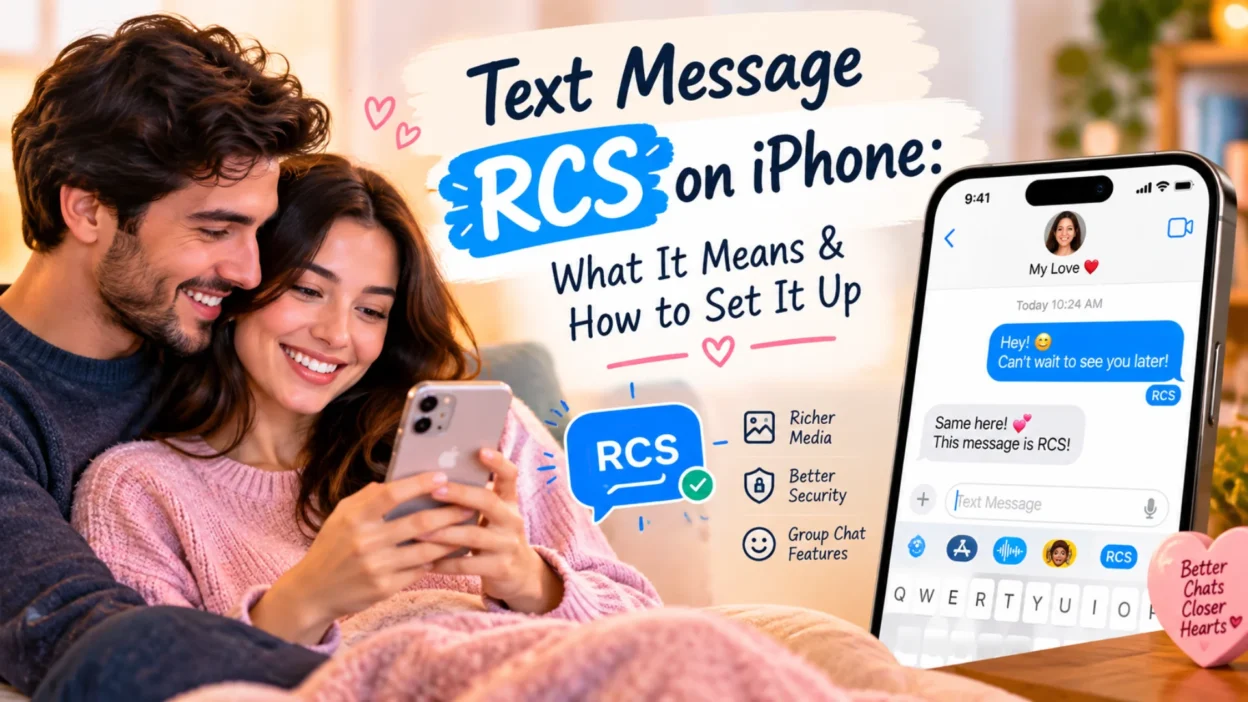
When you see the label “Text Message • RCS” in a conversation, it means your message is being sent using the RCS protocol rather than standard SMS or MMS . This label appears under the text input box or near the conversation header, signaling that your iPhone has established a rich messaging connection with the recipient.
The most common scenario is texting someone with an Android phone. Previously, those conversations used SMS and were limited to plain text and heavily compressed photos. With RCS, your iPhone can send full-resolution images, videos, and longer messages without hitting the old 160-character limit . The label is your confirmation that these enhanced features are active.
It’s important to note that RCS messages still appear in green bubbles, not blue ones . Blue bubbles remain exclusively for iMessage conversations between Apple devices. The green bubble now signals two different things depending on the label: if it says “Text Message • RCS,” you’re getting a rich experience; if it just says “Text Message,” you’ve fallen back to basic SMS .
Why RCS on iPhone Matters
For years, texting an Android user from an iPhone felt like stepping back in time. Photos arrived blurry, videos were unwatchable, group chats descended into chaos, and you never knew if the person had actually read your message. RCS fixes these long-standing frustrations.
High-Resolution Media
RCS allows you to send photos and videos in their original quality, up to 100 MB . SMS and MMS compress media heavily, often turning a clear photo into a pixelated mess. With RCS, the person on the other end sees exactly what you sent .
Read Receipts and Typing Indicators
Just like iMessage, RCS supports read receipts and typing indicators . You can see when your message has been delivered, when it’s been read, and when the other person is typing a reply. This brings the Android texting experience much closer to what iPhone users have enjoyed for years.
Better Group Chats
RCS supports group chats with up to 100 participants, including mixed groups of iPhone and Android users . Group functionality works properly, with participants able to see who is in the conversation and share media without the typical MMS chaos.
No Extra App Required
Unlike WhatsApp or Signal, RCS works directly in your iPhone’s built-in Messages app . You don’t need to download anything or convince your Android-using friends to switch apps. It just works in the background once enabled.
How to Turn On RCS on Your iPhone
RCS is typically enabled by default on iPhones running iOS 18 or later, but it’s worth checking to make sure the setting is active . Here’s how to verify it.
1: Open the Settings app on your iPhone.
2: Scroll down and tap Apps.
3: Tap Messages.
4: Look for the RCS Messaging option under the Text Messaging section .
5: Make sure the toggle is turned on (green) .
If you don’t see the RCS Messaging option, your carrier likely doesn’t support RCS on iPhone yet, or your device doesn’t meet the requirements . Support varies by region and carrier, though most major US carriers and many international providers have enabled it .
Requirements for RCS on iPhone
To use RCS messaging, you need three things in place:
- iOS 18 or later — RCS isn’t available on older iOS versions
- Carrier support — Your mobile provider must support RCS on iPhone
- Data connection — RCS uses Wi-Fi or mobile data, not the cellular SMS network
You can verify carrier support by going to Settings > General > About and checking if the IMS Status shows Voice, SMS & RCS .
What Happens If RCS Isn’t Available?
RCS isn’t universal. Several situations cause your iPhone to fall back to SMS or MMS:
- The recipient doesn’t have RCS enabled on their device
- You lose your data connection, since RCS requires internet access
- The recipient’s carrier doesn’t support RCS on their network
- You’re texting an iPhone user who has iMessage turned off (the conversation would still default to iMessage if available)
When fallback happens, the label changes from “Text Message • RCS” to just “Text Message,” and you lose the rich features like read receipts and high-resolution media . The message still sends, but it’s basic SMS quality.
RCS vs. iMessage vs. SMS on iPhone
Understanding the difference between these three protocols helps clarify what you’re actually using.
iMessage is Apple’s proprietary service for conversations between Apple devices. It uses blue bubbles, is end-to-end encrypted by default, and offers the richest feature set . It only works if both parties have Apple devices.
RCS is the open standard that replaces SMS for cross-platform messaging. It uses green bubbles, supports read receipts and high-quality media, and works between iPhone and Android . It requires carrier support and a data connection.
SMS/MMS is the legacy standard. It works on every phone ever made, requires no data connection, but offers no encryption, heavy media compression, and no read receipts . It’s the fallback when neither iMessage nor RCS is available.
The hierarchy on your iPhone is straightforward: iMessage is used first when texting another Apple device. If the recipient isn’t on an Apple device, RCS is used if both parties’ carriers support it and both have data connections. SMS is the final fallback .
Text Message Rcs meaning Encryption on iPhone
One of the biggest questions about RCS concerns security. For years, RCS lacked the end-to-end encryption that iMessage has always provided .
That’s changing. Apple added end-to-end encryption for RCS in iOS 26.5 as a beta feature . When both parties meet the requirements—iOS 26.5 or later, supported carriers, and RCS enabled—the conversation shows a lock icon indicating encryption is active . However, this is still rolling out and isn’t universally available. In group chats, encryption fails if even one participant doesn’t meet the requirements .
For now, iMessage remains the most consistently encrypted option for iPhone users. RCS encryption is improving but depends on carrier support and software versions.
FAQs Text Message Rcs Meaning iphone
What does “Text Message • RCS” mean on my iPhone?
It means your message is being sent using the RCS protocol instead of standard SMS. This happens when texting Android users and gives you features like read receipts, typing indicators, and high-resolution media sharing .
Do I need to turn on RCS on my iPhone?
RCS is usually enabled by default on iOS 18 or later. You can check by going to Settings > Apps > Messages > RCS Messaging and making sure the toggle is on .
Why do RCS messages still show green bubbles?
Green bubbles signal that you’re not using iMessage. Blue bubbles are reserved for Apple-to-Apple conversations. RCS messages use green bubbles, but with the “RCS” label, you’re getting a richer experience than basic SMS .
Is RCS free on iPhone?
RCS uses your Wi-Fi or mobile data connection, so it doesn’t cost per message like SMS might. However, your carrier may charge for data usage if you’re not on Wi-Fi .
Why did my message switch back to SMS?
RCS falls back to SMS when either you or the recipient loses data connection, when RCS isn’t supported on one end, or when the recipient has RCS turned off. The “RCS” label will disappear, and you’ll see just “Text Message” .
Is RCS encrypted on iPhone?
RCS now supports end-to-end encryption in beta on iOS 26.5 and later, but only when both parties meet the requirements and their carriers support it. Look for a lock icon to confirm encryption is active .
What iOS version do I need for RCS?
You need iOS 18 or later to use RCS messaging on iPhone .
Conclusion
The “Text Message • RCS” label on your iPhone represents a significant improvement in how you communicate with Android users. It brings read receipts, typing indicators, and high-quality media sharing to conversations that were previously stuck in the SMS era. Enabling it takes just a few taps in your settings, and once active, it works automatically in the background.
RCS isn’t perfect. It requires carrier support and a data connection, and encryption is still rolling out. But it’s a major step forward for cross-platform messaging, and checking your settings to make sure it’s turned on is worth the minute it takes. If you text Android users regularly, RCS will noticeably improve the experience.

Hamid Mehmood is a passionate content creator dedicated to making words, messages, and online expressions easy to understand. He enjoys creating clear, helpful content that helps readers discover meanings and communicate with confidence.