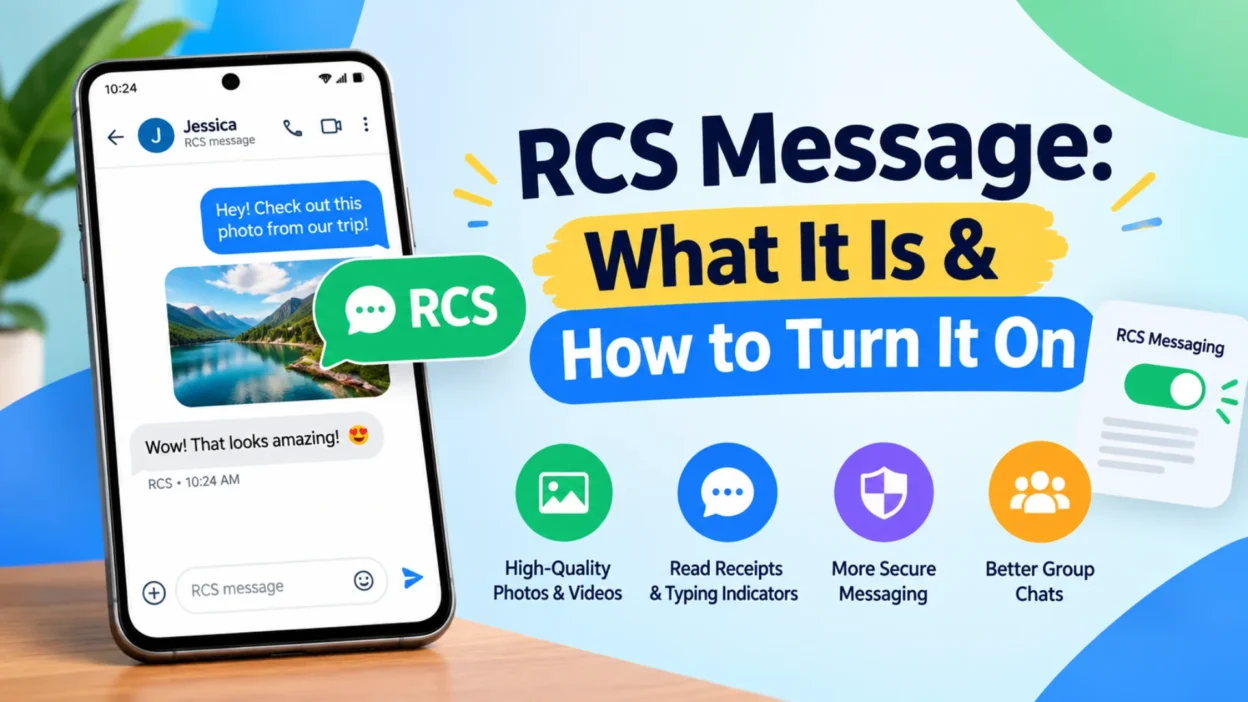
If you’ve ever noticed your text bubbles turning from green to blue on an Android phone, or seen a “Chat message” indicator in Google Messages, you’ve encountered RCS. Rich Communication Services is the modern upgrade to traditional SMS and MMS, bringing features like read receipts, typing indicators, and high-quality media sharing to your phone’s default messaging app .
For years, RCS was an Android-only experience. Apple held back, and cross-platform messaging stayed stuck on SMS. That changed in late 2024, and by mid-2026, end-to-end encryption finally arrived for RCS across both Android and iPhone . This guide explains what RCS is, how it works, how to turn it on, and what the encryption rollout means for your privacy.
What Is RCS Messaging?
RCS stands for Rich Communication Services. It’s a communication protocol designed to replace SMS and MMS with something more capable . Think of it as SMS 2.0—same basic idea, but built for the smartphone era.
The key difference is how RCS sends messages. Traditional SMS travels over the cellular network’s control channels, which limits size and speed. RCS uses your mobile data or Wi-Fi connection, just like WhatsApp or Signal . That’s why RCS can handle high-resolution photos, video files up to 100 MB, and rich features that SMS simply can’t support .
Google has pushed RCS adoption since 2019 through its Messages app. The company provides the backend infrastructure that many carriers rely on, so RCS works even if your carrier doesn’t build its own system . Apple added RCS support with iOS 18 in September 2024, and the two platforms have been working toward a unified experience since .
Key Features of RCS Messaging
RCS brings a feature set that feels familiar if you’ve used any modern messaging app. Here’s what you get when RCS is enabled.
Read Receipts and Typing Indicators
You can see when someone has read your message and when they’re typing a reply . These small signals make conversations feel more natural and immediate. Both features are optional—you can turn them off in settings if you prefer more privacy .
High-Quality Media Sharing
SMS compresses images and videos until they look grainy. RCS removes most of those limits. You can send full-resolution photos, videos up to 100 MB, and audio files without the heavy compression . This alone makes RCS a major upgrade for anyone who shares visual content.
Group Chats and Rich Interaction
RCS supports proper group chats where you can name the group, manage participants, and share media without the awkwardness of MMS group threads . You can also react to messages, reply inline, and share locations .
End-to-End Encryption
This is the newest addition, and it’s a big one. RCS messages between supported devices and carriers are now encrypted end-to-end, meaning no one—not even Google or Apple—can read them in transit . We’ll cover the details and limitations in a dedicated section below.
How RCS Differs From SMS and iMessage
Understanding RCS means knowing where it fits alongside the other messaging standards you already use.
SMS and MMS are the old standard. They work on every phone ever made, regardless of carrier or operating system . But they’re limited: SMS caps at 160 characters, MMS compresses media heavily, and neither supports read receipts or typing indicators .
RCS is the modern replacement. It’s richer, faster, and more secure, but it requires both parties to have RCS enabled and a compatible device and carrier . If either person doesn’t have RCS, the conversation falls back to SMS or MMS automatically .
iMessage is Apple’s proprietary standard. It works only between Apple devices, offers end-to-end encryption, and shows messages in blue bubbles . RCS on an iPhone shows up in green bubbles, just like SMS, but with RCS features layered on top when available . If you’re texting an Android user from an iPhone, RCS activates instead of SMS—assuming both carriers support it .
How to Turn On RCS on Android
Most Android phones ship with Google Messages as the default texting app, though Samsung devices sometimes use Samsung Messages . The steps below work for Google Messages.
Step-by-Step Setup
- Open the Google Messages app.
- Tap your profile picture in the top-right corner .
- Select Messages settings.
- Tap RCS chats .
- Turn on the RCS chats toggle .
- If prompted, verify your phone number .
You’ll see a status indicator once setup completes. “Connected” means RCS is working. “Setting up” means verification is still in progress—wait a few minutes. “Disconnected” means something went wrong, usually a network issue .
Make sure you have an active SIM card installed and, on dual-SIM phones, that the correct SIM is set as default for calls and SMS .
What the “Chat Message” Indicator Means
Once RCS is active, you’ll notice your message input box says “Chat message” or “RCS message” . If you’re texting someone who doesn’t have RCS, it reverts to “Text message” and sends via SMS. You can also see a lock icon in encrypted conversations .
How to Turn On RCS on iPhone
Apple’s RCS implementation requires iOS 18 or later and a carrier that supports RCS on iPhone . Support varies by region—the major US carriers (AT&T, T-Mobile, Verizon) and many international carriers have enabled it .
Step-by-Step Setup
- Open the Settings app.
- Tap Apps.
- Tap Messages.
- Tap RCS Messaging.
- Turn RCS Messaging on .
There may be a delay of a few hours before RCS activates for the first time . If the RCS Messaging option doesn’t appear in your settings, your carrier likely doesn’t support it yet .
Once enabled, RCS messages appear in green bubbles, same as SMS. The difference is in the features—you’ll see read receipts and typing indicators when texting someone who also has RCS .
The Encryption Rollout: What You Need to Know
End-to-end encryption for RCS arrived in May 2026 as a cross-platform beta . This was a major milestone. For years, RCS offered rich features but left messages unencrypted, which meant carriers or third parties could potentially read them . iMessage had always been encrypted. SMS never was. RCS sat somewhere in between—better than SMS, but not as private as iMessage.
Now, RCS encryption works across both Android and iPhone, provided certain conditions are met .
How to Know If Your Chat Is Encrypted
Look for a lock icon and the word “Encrypted” at the top of your conversation . If you see it, your messages are protected end-to-end. If you don’t, they’re not.
Requirements for Encryption
Both people in the conversation need:
- iOS 26.5 or later (iPhone) or the latest Google Messages (Android)
- A carrier that supports RCS encryption
- RCS enabled on their device
The feature is on by default for supported users . It also applies retroactively to existing RCS conversations .
The Group Chat Limitation
There’s an important catch. If even one person in a group chat doesn’t meet the requirements—wrong software version, unsupported carrier—the entire group chat loses encryption . You’ll know because the lock icon won’t appear. This is a significant limitation to keep in mind if you’re discussing sensitive information in a group.
Why RCS Matters
RCS represents the first real upgrade to text messaging in decades. SMS was designed in the 1980s for a world of basic phones. RCS was designed for smartphones, and it shows.
For everyday users, RCS makes texting feel modern. Photos look sharp. Group chats function properly. You can see when someone’s typing or when they’ve read your message . These features are standard in apps like WhatsApp, and now they’re built into the default texting app on most phones.
For businesses, RCS opens new possibilities. Brands can send rich media, verified sender labels, and interactive messages with suggested replies and actions . Customers can complete purchases, book appointments, or confirm orders without leaving the messaging app . RCS business messaging is growing rapidly—around 50 billion business messages were sent globally in 2025, with projections reaching 200 billion by 2029 .
For privacy, the encryption rollout finally brings RCS closer to iMessage’s security standard. It’s not perfect—encryption depends on carriers and software versions—but it’s a major improvement over unencrypted SMS .
FAQs
What does RCS mean on my phone?
RCS stands for Rich Communication Services. It’s an upgraded messaging protocol that replaces SMS and MMS with features like read receipts, typing indicators, high-quality media sharing, and group chats .
Is RCS the same as iMessage?
No. iMessage is Apple’s proprietary messaging service that only works between Apple devices. RCS is an open standard that works across Android and iPhone . On iPhone, RCS messages appear in green bubbles, while iMessage appears in blue .
Do RCS messages cost money?
RCS uses your mobile data or Wi-Fi connection, so it doesn’t cost per message like SMS might . Standard data rates apply if you’re not on Wi-Fi.
Why can’t I turn on RCS on my iPhone?
RCS on iPhone requires iOS 18 or later and a carrier that supports it . If the RCS Messaging option doesn’t appear in Settings > Apps > Messages, your carrier hasn’t enabled it yet. Contact your wireless provider for more information .
Is RCS encrypted?
RCS now supports end-to-end encryption in beta, but only when both parties meet specific requirements: iOS 26.5 or later, the latest Google Messages, and a carrier that supports encryption . In group chats, encryption fails if even one person doesn’t meet the requirements . Look for the lock icon to confirm encryption is active .
What happens if I send an RCS message to someone without RCS?
The message automatically falls back to SMS or MMS . You’ll notice the input box changes from “Chat message” to “Text message,” and some features like read receipts won’t work.
Conclusion
RCS messages represent the biggest shift in texting since SMS launched in 1992. The protocol brings modern features to the default messaging app on your phone, eliminating the need to convince friends to download yet another app just to send a decent photo or see a typing indicator.
The encryption rollout in 2026 closed the gap between RCS and iMessage, though limitations remain—particularly around group chats and carrier support. As more carriers enable encryption and more devices update to compatible software, the experience will improve.
For now, if you haven’t turned on RCS, it’s worth doing. Check your settings, verify your number, and start enjoying what texting should have been all along.

Hamid Mehmood is a passionate content creator dedicated to making words, messages, and online expressions easy to understand. He enjoys creating clear, helpful content that helps readers discover meanings and communicate with confidence.