The term “web messages” describes an increasingly common part of the online experience. You encounter them when a banner slides in offering a discount code, when a chat bubble pops up asking if you need help, or when a notification appears as you’re about to leave a shopping cart. These interactive elements appear directly in your browser and aim to engage you in real time.
Web messages have become essential tools for businesses that want to connect with website visitors. They bridge the gap between passive browsing and active conversation. This guide explains what web messages are, how they differ from related technologies, and how organizations use them to improve engagement and drive results.
What Are Web Messages?
Web messages are targeted pop-ups, banners, or overlays displayed to visitors on a website . They appear directly within a browser session, whether the visitor is on a desktop or mobile device. These messages can trigger based on specific user behaviors, such as exiting a page, scrolling down, or adding items to a cart.
A typical web message might offer a real-time discount when a visitor shows signs of leaving. Another might invite someone to sign up for a newsletter after they’ve spent time reading content . The key characteristic is that these messages appear while the visitor is actively browsing the site.
Web messages differ from traditional advertising because they respond to what the visitor is doing. This responsiveness makes them feel personal and timely rather than random or intrusive.
How Web Messages Differ From Other Channels
Understanding web messages requires distinguishing them from similar technologies. Each channel has unique characteristics that determine when and how to use it.
Web Messages vs. Web Push Notifications
Web messages appear while visitors actively browse a website . They can trigger based on behavior, timing, or specific actions. Web push notifications, by contrast, reach users’ browsers even when the site isn’t open. Push notifications require explicit opt-in from the user before they can be sent.
Web messages typically don’t require the same opt-in because they appear during an active session. This makes them easier to deploy but limits their reach to visitors who are currently on the site.
Web Messages vs. Email
Email messages land in a user’s inbox and reach them when they check their mail . They require the user to have shared their email address and consented to receive communications. Email engagement timing depends on when the user checks their inbox.
Web messages, by contrast, engage users in real time while they’re on the site. They don’t require an email address or prior relationship. This makes them ideal for first-time visitors or anonymous browsers.
Web Messages vs. SMS
SMS messages arrive on a user’s mobile phone and require consent to send . They reach the user wherever they are, but engagement timing depends on when the user checks their phone. SMS typically charges per message.
Web messages appear only during an active browsing session but require no prior consent or phone number. They integrate directly with the website experience.
Why Businesses Use Web Messages
Web messages offer distinct advantages that make them valuable tools for online engagement .
Collecting Leads and Growing Revenue
Businesses use web messages to display incentives or newsletter opt-ins at key user actions. These actions might include exit intent, cart activity, or scrolling behavior . By making sign-ups simple and trackable, web messages help businesses capture interest at the moment it’s highest.
A visitor who’s about to leave a checkout page might receive an offer for a discount. That single message can convert an abandoned cart into a completed purchase. The return on investment can be substantial because the message reaches someone who’s already interested.
Delivering Real-Time Personalization
Web messages allow businesses to trigger tailored offers or product recommendations based on user behavior . The system can track pages viewed, products browsed, or items already purchased. This data feeds into messages that feel relevant rather than generic.
Personalized messages increase relevance, engagement, and conversions. A returning visitor who browsed running shoes last week might see a message about a sale on athletic wear. This level of personalization creates a better experience for the visitor and better results for the business.
Strengthening Multichannel Strategy
Web messages work best when coordinated with other channels. By syncing campaigns with email, SMS, and push notifications, businesses ensure users receive relevant content across mobile and desktop . This coordination creates seamless campaigns rather than disconnected messages.
A customer might see a web message while browsing, then receive a related email if they don’t convert. This coordinated approach maintains consistent messaging and reinforces calls-to-action across touchpoints.
Common Types of Web Messages
Web messages come in several formats, each suited to different goals and contexts.
Exit-Intent Pop-Ups
These messages trigger when a visitor shows signs of leaving the page. They often offer a discount, a free resource, or another incentive to stay . Exit-intent pop-ups work well for reducing cart abandonment and capturing leads from visitors who might otherwise leave without converting.
Welcome Messages
A welcome message greets visitors when they arrive at a site. It might introduce the brand, offer assistance, or prompt the visitor to take a specific action. Welcome messages work well for first-time visitors or when promoting a current campaign.
Chat and Support Overlays
Live chat widgets often use web messages to initiate conversation. A chat bubble might appear asking if the visitor needs help. This approach can reduce friction for visitors who have questions before making a purchase.
Promotional Banners
These messages display offers, announcements, or important information across the top or bottom of a page. They don’t typically interrupt the browsing experience but ensure the message is visible. Promotional banners work well for time-sensitive offers or site-wide announcements.
Cart Abandonment Messages
These messages target visitors who have items in their cart but haven’t completed checkout. They often offer incentives or reminders to complete the purchase. Cart abandonment messages can recover revenue that would otherwise be lost.
How Web Messages Trigger and Deliver
Web messages rely on a combination of behavioral tracking and automated rules. When a visitor performs a specific action, the system triggers the appropriate message.
Common triggers include page visits, time spent on a page, scrolling depth, cart activity, and exit intent . Businesses can set up rules that determine which message appears for which behavior. This automation ensures that messages feel timely and relevant.
The delivery mechanism varies by implementation. Some web messages are built directly into the website’s code. Others use third-party platforms that add a layer of functionality without requiring major development work. The choice depends on the business’s technical capabilities and needs.
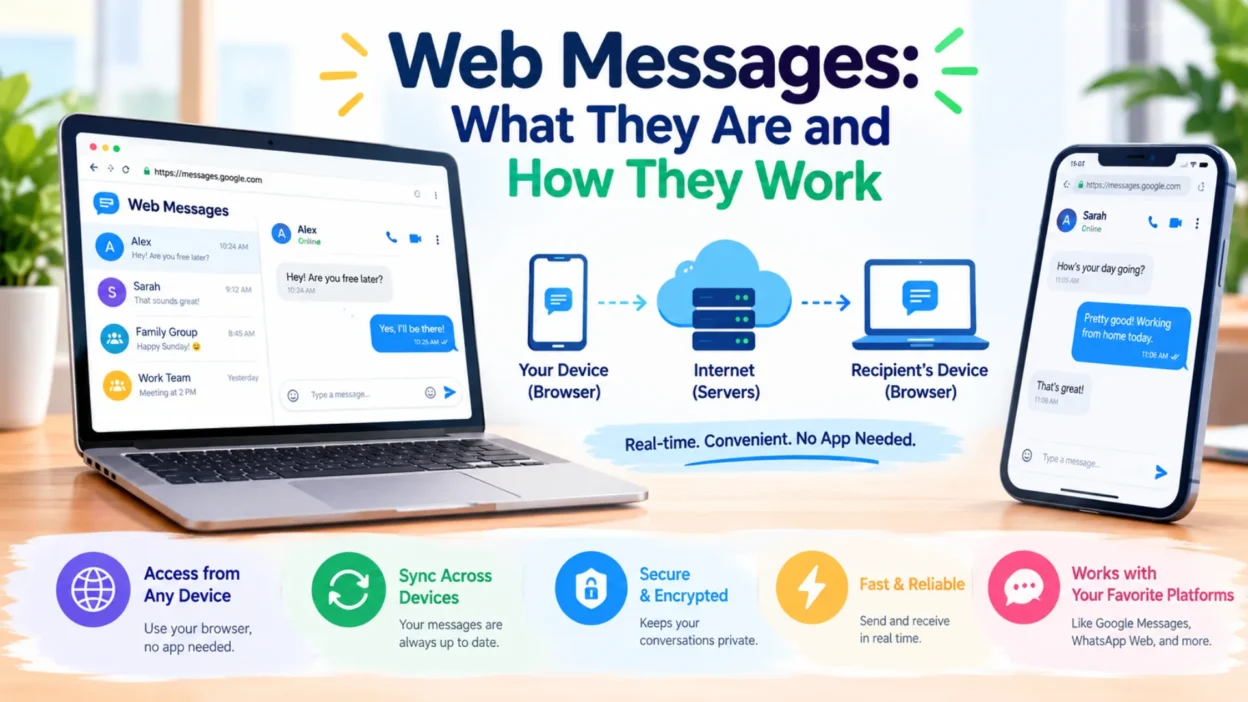
From a technical perspective, web messages are application-layer communications that travel over a network to or from a web browser . This means they operate at the same level as other web content, using standard protocols to deliver their content.
Best Practices for Web Messages
Effective web messages follow principles that respect the visitor’s experience while achieving business goals.
Respect the Visitor’s Time
Messages should be brief and clear about what they offer . A visitor should understand the value of the message within seconds. Long paragraphs or confusing offers will cause frustration rather than engagement.
Trigger at the Right Moment
The timing of a web message matters as much as its content. Triggering a discount offer too early might confuse a visitor who’s still exploring. Triggering it too late might miss the moment when the visitor was most interested.
Exit intent is often the right moment for retention-focused messages . Welcome messages work best immediately on arrival. Cart abandonment messages should appear when the visitor shows signs of leaving without completing purchase.
Personalize Based on Behavior
Messages that reference the visitor’s actual behavior perform better than generic ones . A message about running shoes works for someone browsing athletic wear. The same message would confuse someone reading about kitchen appliances.
Personalization can draw from pages viewed, products browsed, or past purchases. The more relevant the message, the more likely the visitor will engage.
Coordinate With Other Channels
Web messages shouldn’t operate in isolation. Coordinating with email, SMS, and push notifications creates a consistent experience . A visitor who sees a web message but doesn’t convert might receive a follow-up email with the same offer.
This coordination requires tracking user behavior across channels. The investment pays off through better engagement and higher conversion rates.
Avoid Overwhelming the Visitor
Too many web messages create a negative experience. Visitors may leave if they feel bombarded by pop-ups and overlays. Businesses should limit the frequency of messages and ensure each one provides genuine value.
FAQs
What is a web message?
A web message is a targeted pop-up, banner, or overlay displayed to visitors on a website . It appears directly within a browser session and can trigger based on user behavior, timing, or specific actions.
How do web messages differ from web push notifications?
Web messages appear while visitors actively browse a website . Web push notifications reach users’ browsers even when the site isn’t open and require explicit opt-in. Web messages typically don’t require opt-in because they appear during an active session.
Can web messages be personalized?
Yes, web messages can be personalized based on user actions . Businesses can tailor content, promotions, or prompts in real time based on page visits, cart value, or browsing behavior. Personalization increases relevance and engagement.
What triggers a web message?
Common triggers include exit intent, cart activity, scrolling depth, time on page, and specific page visits . Businesses set up rules that determine which message appears for which behavior.
Do web messages require opt-in?
No, web messages typically do not require opt-in because they appear during an active browsing session . This differs from SMS, email, and push notifications, which all require user consent.
How do web messages support multichannel campaigns?
Web messages work alongside email, SMS, and in-app messaging to create cohesive campaigns . They reinforce calls-to-action, maintain consistent messaging, and unify analytics across channels. This coordination drives higher engagement and better return on investment.
Conclusion
Web messages have become essential tools for businesses that want to engage website visitors in real time. They offer a way to connect with people during their browsing session, respond to their behavior, and deliver relevant messages at the right moment. The technology continues to evolve, with personalization and multichannel coordination becoming more sophisticated.
Businesses that implement web messages thoughtfully—respecting the visitor’s time while delivering genuine value—can improve engagement, capture more leads, and drive higher conversions. For anyone managing a website, understanding web messages is no longer optional. They represent a fundamental shift in how businesses communicate with their audiences online.

Hamid Mehmood is a passionate content creator dedicated to making words, messages, and online expressions easy to understand. He enjoys creating clear, helpful content that helps readers discover meanings and communicate with confidence.