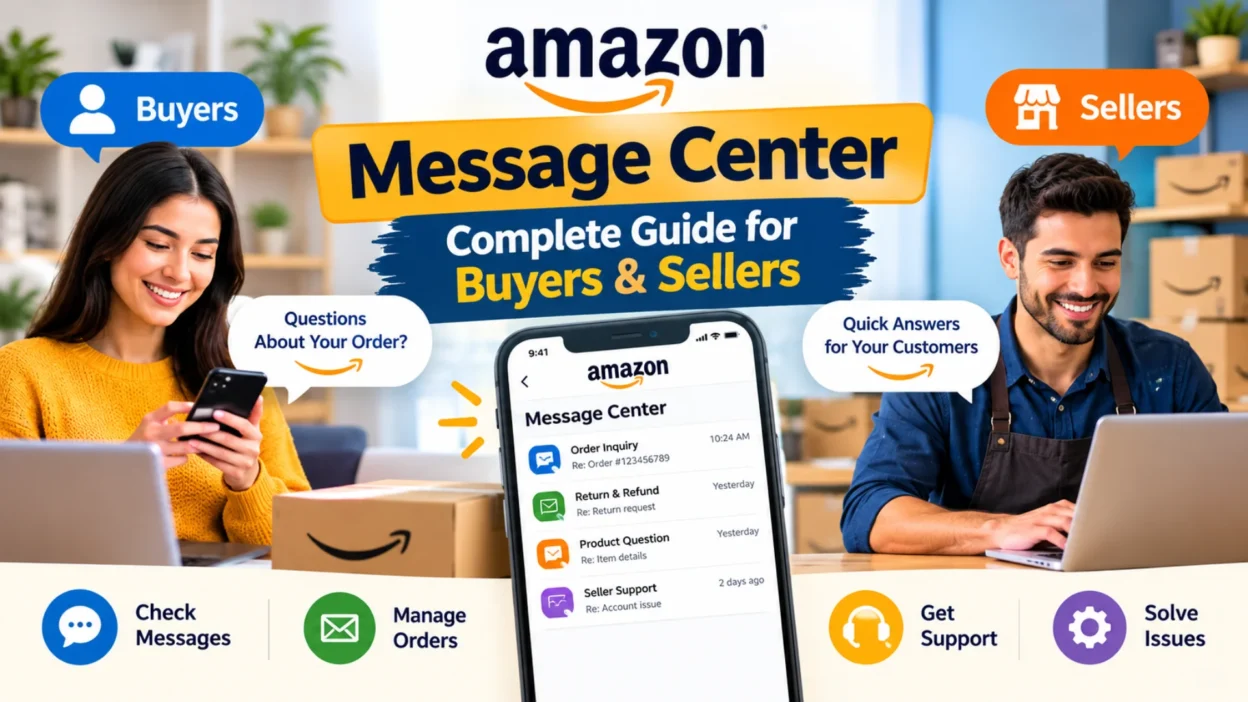
The Amazon Message Center is your central hub for all communication on the platform. Whether you’re a buyer with questions about an order or a seller managing customer inquiries, this messaging system keeps everything organized in one place. It handles conversations between buyers, sellers, and Amazon itself.
This guide explains everything you need to know about the Amazon Message Center. You’ll learn where to find it, how to use it effectively, and how to protect yourself from common scams that target Amazon users.
What Is the Amazon Message Center?
The Amazon Message Center, also known as the Buyer-Seller Messaging Service, is Amazon’s built-in communication system. It allows buyers and sellers to exchange messages about orders, returns, and other important matters without sharing personal contact information.
Amazon creates anonymized email addresses for each party. Neither buyers nor sellers ever see the other’s real email address. This protects privacy and prevents transactions from moving off-platform, which would violate Amazon’s terms of service.
The Message Center also serves as a verification tool. Any legitimate communication from Amazon appears in your Message Center. If you receive an email claiming to be from Amazon but it doesn’t appear there, it’s likely a scam.
How to Access Amazon Message Center as a Buyer
Finding your Amazon messages is straightforward. You can access the Message Center through both desktop and mobile.
On Desktop
Log into your Amazon account and go to Your Account. Scroll down to the Message Center section and click to view all your messages from Amazon, sellers, and buyers.
Alternatively, you can navigate directly to your messages through the Amazon website. The interface looks similar to standard instant messaging platforms, making it easy to use.
On Mobile App
The Message Center is also available through the Amazon app. Open the app, go to your account section, and look for the Message Center option. You can view and respond to messages just like on desktop.
Message Center Features for Buyers
The buyer interface includes two main tabs. One tab shows general messages from Amazon, such as updates to terms of use or account information. The second tab contains buyer-seller messages related to specific orders.
You can filter messages by various criteria. Options include unread messages, sent messages, received messages, and messages that need a response. Date range filters help you locate specific conversations quickly.
How to Access Amazon Message Center as a Seller
Sellers access the Message Center through Seller Central. The process differs slightly from the buyer experience.
Finding the Message Center in Seller Central
Log into your Seller Central account and look for the Messages link in the top right corner of your home page. Click to open your message inbox.
There’s no separate portal or account required. The Message Center runs through your regular Seller Central session.
The Seller-Buyer Communication System
Every message thread runs through a 35-character anonymized email alias unique to each buyer. This means neither you nor the buyer ever sees the other’s real email address.
To receive buyer messages through email, you need to enable notifications. Go to Notification Preferences under Settings, click Edit under the Messaging header, and check the box next to Buyer Messages. Enter the email address where you want to receive notifications.
Understanding Critical vs. Non-Critical Messages
Amazon divides messages into two categories: critical and non-critical. This distinction matters because it affects whether your message reaches the buyer.
Critical messages relate directly to completing an order. Amazon defines these narrowly. They include product customization questions, delivery scheduling, and problems with a shipping address. Critical messages reach buyers even if they’ve opted out of seller communications.
Non-critical messages include everything else. Requests for feedback, order confirmations, product manuals, and out-of-stock notifications fall into this category. If a buyer has opted out of seller messages, these communications won’t reach them.
The Old “[Important]” Subject Line Method
Sellers previously could label messages as critical by including “[Important]” in the subject line. Amazon has discontinued this practice. Sellers must now use the official templates in Seller Central or the API to send critical information.
Amazon Messaging Guidelines for Sellers
Amazon maintains strict rules about what sellers can and cannot include in messages. Violating these guidelines can result in account penalties.
What Sellers Cannot Include
Sellers cannot include external links unless they’re secure and necessary for the order itself. Phone numbers are prohibited except in specific warranty or shipping exceptions. Email addresses of any kind are not allowed. Logos that link back to your own website are forbidden. Emojis are not permitted in message content. More than two line breaks in a row are also restricted. Marketing materials and promotional content are banned. Review requests with incentives attached are strictly prohibited.
Response Time Expectations
Amazon expects sellers to respond to customer messages within 24 hours. Faster responses improve your customer metrics and overall account health.
Return-related messages carry a stricter deadline. Sellers must respond within 48 hours. Unanswered return messages count against your Return Dissatisfaction Rate, which appears on your Account Health page.
Using Message Templates
Amazon offers managed templates that auto-translate into the buyer’s language. These templates stay compliant with Amazon’s guidelines by default. Sellers can also create custom templates under Manage Email Templates for frequently sent replies.
Daily Send Limits
Amazon caps daily message volume at five times your average daily order volume plus 600. Most sellers never approach this limit, but it’s worth knowing if you run high-volume automated messaging.
Amazon Message Center for Buyers: Key Uses
Buyers use the Message Center for several purposes.
Contacting Sellers
If you have a question about an order, you can message the seller directly through the Message Center. This keeps all communication on record and protects your privacy.
Resolving Order Issues
For problems with delivery, damaged items, or returns, the Message Center provides a documented communication channel. Sellers can respond with solutions, and you have a record of the conversation.
Receiving Amazon Communications
Amazon sends important account updates through the Message Center. These might include policy changes, account notifications, or responses to your inquiries.
How to Identify Legitimate Amazon Messages
Scammers frequently impersonate Amazon through email, text, and phone calls. The Message Center helps you verify what’s real.
Check the Message Center First
If you receive an email claiming to be from Amazon, log into your account and check the Message Center. Legitimate Amazon communications appear there. If the message doesn’t show up, it’s likely fake.
Red Flags of Impersonation Scams
Watch for these warning signs in suspicious messages. False urgency is common—scammers create pressure to act quickly, like claiming your account will be suspended in hours. Requests for personal information are a major red flag; Amazon never asks for passwords, credit card numbers, or bank details via email or text. Links to non-Amazon domains should be checked carefully. Spelling and grammar errors often appear in fake messages since legitimate Amazon communications go through quality review. Unexpected order notifications for something you didn’t buy warrant verification in Your Orders. Payment requests via gift cards are always fraudulent—Amazon never asks for payment through gift cards.
How to Report Suspicious Messages
If you receive a suspicious message claiming to be from Amazon, report it. Forward suspicious emails to Amazon’s spoofing reporting address for investigation. You can also forward messages to their verification address for validation.
If you don’t have an Amazon account and receive suspicious communications, forward them to Amazon’s scam reporting address.
Amazon’s New Verification Tool
Amazon has rolled out a new tool through Alexa for Shopping to help customers verify messages. You can ask Alexa about a message you received, providing details about where it came from, when it arrived, and what it said. The tool uses artificial intelligence to compare the message against Amazon’s records.
If the message is legitimate, you’ll see confirmation that it’s an official Amazon communication. If it’s not from Amazon, you’ll see that the message does not appear to match any official Amazon communication based on the information provided.
The tool is currently only available in the United States.
FAQs
Where do I find the Amazon Message Center?
As a buyer, log into Amazon, go to Your Account, and scroll to the Message Center section. As a seller, the Message Center is under the Messages link in the top right corner of Seller Central.
What is the Amazon Message Center used for?
The Message Center handles communication between buyers, sellers, and Amazon. Buyers use it to contact sellers about orders. Sellers use it to respond to customer inquiries and send order-related updates.
How do I know if an Amazon message is real?
Check your Message Center. Legitimate Amazon communications appear there. If you receive an email claiming to be from Amazon but it’s not in your Message Center, it’s likely a scam. You can also forward suspicious messages to Amazon’s verification address.
What are critical messages on Amazon?
Critical messages relate directly to completing an order. They include product customization questions, delivery scheduling, and shipping address problems. These messages reach buyers even if they’ve opted out of seller communications.
How quickly should sellers respond to Amazon messages?
Amazon expects responses within 24 hours. Return-related messages must receive a response within 48 hours to avoid affecting your Return Dissatisfaction Rate.
Can sellers include phone numbers in Amazon messages?
Generally, no. Amazon prohibits phone numbers except in specific warranty or shipping exceptions. External links, email addresses, and emojis are also restricted.
Conclusion
The Amazon Message Center serves as the central communication hub for buyers and sellers on the platform. For buyers, it provides a secure way to contact sellers and verify legitimate Amazon communications. For sellers, it offers a structured system for managing customer inquiries while staying compliant with Amazon’s guidelines. Understanding how to use the Message Center effectively saves time and protects your account.
Buyers who check the Message Center can quickly identify scams. Sellers who follow the guidelines avoid penalties and maintain healthy account metrics. Whether you’re shopping or selling, taking time to familiarize yourself with the Message Center pays off. It keeps your communication organized, protects your privacy, and helps you avoid the scams that target Amazon users.

Hamid Mehmood is a passionate content creator dedicated to making words, messages, and online expressions easy to understand. He enjoys creating clear, helpful content that helps readers discover meanings and communicate with confidence.